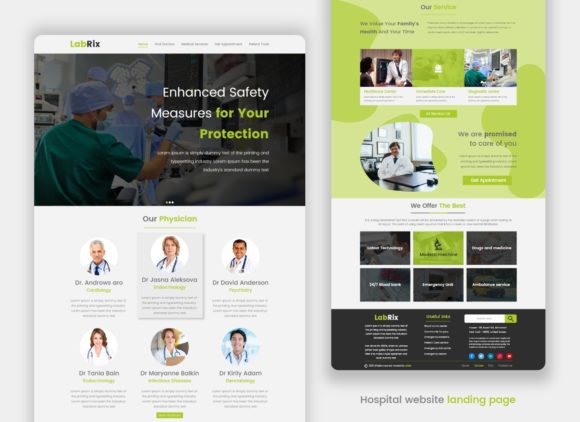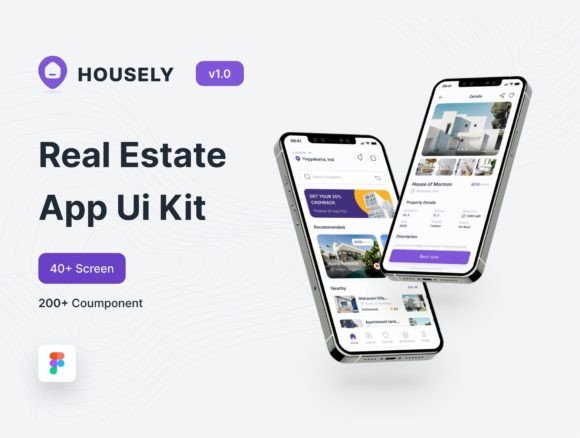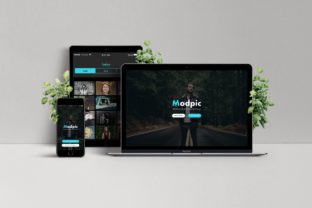
Streamline Your App Design with the Modpic Creative App Page Sketch Template
Every designer hits that wall eventually. You’re staring at a blank artboard in Sketch, trying to wireframe the perfect landing page for a new mobile application, but the creative gears just aren’t turning. You know the layout needs to look modern, clean, and professional, but starting from scratch feels like reinventing the wheel. This is exactly where the Modpic Creative App Page Sketch Template comes into play. It’s not just a collection of pre-made boxes; it’s a comprehensive design system built to bridge the gap between a rough idea and a polished, pixel-perfect digital product. For designers and developers who value their time and sanity, having a reliable skeleton to build upon is the secret weapon to consistent, high-quality output.
Why Structure Matters More Than You Think
When we talk about design, we often focus on the "pretty" parts—the color palette, the typography, the imagery. But the foundation of any successful digital project is its structure. A beautifully designed button is useless if it’s placed in a confusing layout. The Modpic template focuses heavily on this structural integrity. It offers editable layers and layouts that are organized logically, allowing you to deconstruct and rebuild sections without breaking the flow of the page. This is particularly crucial for developers who need to translate static designs into functional code. When your layers are named correctly and grouped intuitively, the handoff process becomes seamless. You’re not just buying a template; you’re buying a smoother workflow that eliminates the friction between design and development teams.
Practical Applications for Modern Creators
The versatility of a clean, modern theme cannot be overstated. While the Modpic Creative App Page Sketch Template is designed with app landing pages in mind, its utility extends far beyond that single use case. Because it relies on high-quality vector graphics and sharp pixel quality, you can adapt these assets for a variety of creative projects. Consider the needs of a startup founder launching a new SaaS product. They need a landing page, but they also need social media graphics to promote it, pitch deck slides to secure funding, and email headers to engage their subscribers. With a robust template, you can maintain visual consistency across all these touchpoints. You can pull a specific card layout from the app page and repurpose it for a blog post feature image, or use the navigation bar styles to inspire a print brochure layout. It’s about seeing the template not as a rigid cage, but as a flexible toolkit for brand identity construction.
Mastering Typography and Readability
One of the standout features of this resource is the inclusion of free Google Fonts. Typography is the voice of your design, and choosing the right typeface can make or break the user experience. The Modpic template pairs modern sans-serif fonts with clean layouts to ensure maximum readability. For designers, this is a lesson in balance. You want a font that has personality but doesn't distract from the content. When working with the template, pay close attention to the hierarchy established by the font weights. Notice how the headers command attention while the body text remains comfortable to read on screens of all sizes. If you decide to swap out the fonts for your own brand assets, ensure you maintain this hierarchy. A common mistake is choosing a script or handwritten font for body text because it looks "stylish," only to find that users struggle to read paragraphs. Use decorative fonts sparingly for accents, and stick to highly legible sans-serifs or serifs for the heavy lifting.
Customization Without the Headache
There is nothing more frustrating than downloading a "premium" asset only to find that it’s a flattened image file that you can’t edit. The Modpic Creative App Page Sketch Template prides itself on fully editable layers. This means every shadow, every corner radius, and every color is accessible and changeable. For the small business owner trying to DIY their marketing materials, this is a game-changer. You don't need to be a master of the Pen Tool to change the accent color from blue to your brand’s specific shade of orange. The sharp pixel quality ensures that even when you resize elements for different platforms—like scaling down a feature section for an Instagram story or up for a web banner—the edges remain crisp. This level of customization empowers you to take ownership of your brand’s visual language without feeling restricted by the original design.
Building a Cohesive Brand Identity
Consistency is the currency of trust in the digital world. When a customer visits your app page, and then clicks through to your social media or sees a digital ad, the visual language should feel familiar. The Modpic theme provides a baseline for this consistency. By utilizing the clean grid systems and modern aesthetic found in the template, you can build a brand identity that feels cohesive and intentional. Think about the packaging of a physical product or the layout of an editorial magazine spread; the principles of spacing, alignment, and contrast are universal. The clean theme aesthetic works well for a wide range of industries, from tech and finance to health and lifestyle. It strips away unnecessary clutter, allowing your message and your product to take center stage. This "less is more" approach ensures that your audience isn't overwhelmed, making them more likely to engage with your call to action.
Final Thoughts on Asset Management
As you integrate the Modpic Creative App Page Sketch Template into your workflow, think about how it fits into your broader library of design assets. A good template isn't a one-time use item; it's a resource you return to time and time again. Whether you are a freelance designer managing multiple clients or a developer building out a personal portfolio, having high-quality, reliable Sketch files at your disposal speeds up your production time significantly. It allows you to focus on the creative problem-solving aspects of your work rather than getting bogged down in the technical setup. Ultimately, the goal is to produce professional, engaging work that resonates with your audience, and having the right tools in your arsenal makes that journey a whole lot easier.