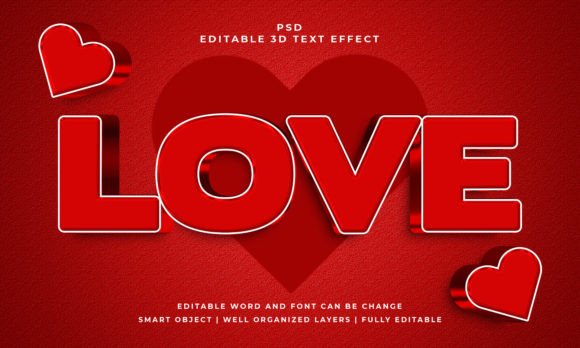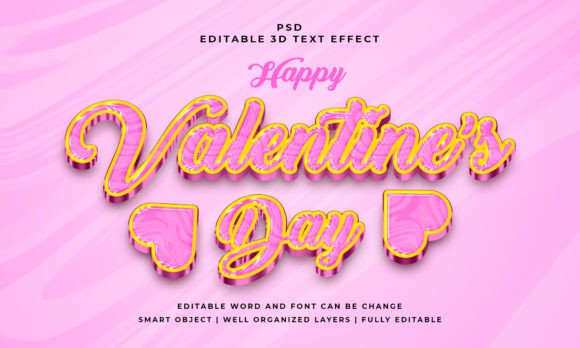
Valentines 3D Editable PSD Text Effect: Create Stunning, Romantic Graphics in Minutes
There's a particular challenge that comes with designing for Valentine's Day. You need to capture a feeling—warmth, affection, a touch of glamour—without resorting to the same tired clip art and overused pink-and-red palettes. Whether you're a small business owner crafting a social media promotion, a designer working on a client's packaging, or a blogger wanting to make a statement, the typography itself often needs to do the heavy lifting. Flat, standard text can feel underwhelming. What you need is depth, dimension, and a style that instantly communicates the holiday's romantic essence. This is where a specialized asset like a 3D editable PSD text effect becomes not just a shortcut, but a creative game-changer.
What Exactly Is a 3D Editable PSD Text Effect?
Think of it as a pre-built, professional-grade design template for your text. Instead of spending hours manually creating bevels, shadows, and textures in Photoshop, this effect is a layered file (a PSD) that applies all those complex 3D styling details to your words automatically. The "editable" part is crucial: you aren't locked into a specific phrase. You simply open the file, locate the designated Smart Object layer, and type in your own text. The entire 3D effect updates in real-time to fit your new words, whether you're typing "Be Mine," a brand name, or a promotional headline.
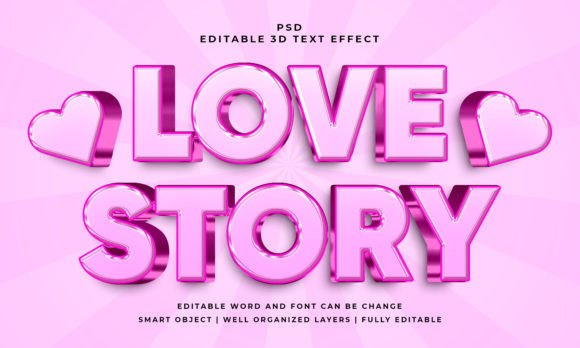
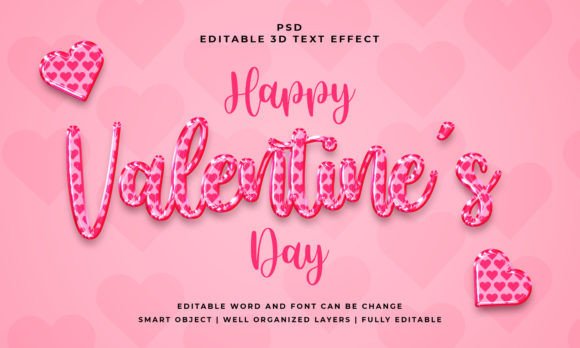
The visual appeal is immediate. This particular effect typically renders text with a polished, glossy finish that mimics embossed metal or luxurious plastic, often with subtle gradients and highlights that make the letters pop off the background. It’s a style that conveys premium quality and celebration, perfect for grabbing attention in a crowded digital feed or on a shelf. The included 2000x1200 pixel dimension provides a generous, high-resolution canvas suitable for most web and moderate print applications.
Practical Applications: Where This Text Effect Truly Shines
The true value of a design asset is measured by its versatility. This 3D text effect isn't a one-trick pony; it can be integrated into a wide array of projects to solve specific visual problems.
For Branding and Logo Design
While a core logo should be simple and scalable, seasonal variations are a powerful marketing tool. Imagine a bakery using this effect for a temporary "Valentine's Special" logo lockup on their website header or packaging sleeves. It creates an instant festive feel without altering their core identity. For entrepreneurs selling digital products or courses, this effect can style a catchy module title or a sale banner, making the offer feel more tangible and exciting.
Supercharging Social Media and Marketing Assets
This is where the effect arguably delivers the most impact. Social media graphics live and die by their ability to stop a scroll. A post featuring a bold, three-dimensional "Sale!" or "Limited Edition" rendered in this style can dramatically increase engagement. It's perfect for creating eye-catching Instagram Stories, Facebook event covers, or Pinterest pins that need to communicate a promotional or celebratory message instantly. The depth and realism make the graphic feel less like a static ad and more like a miniature invitation.
Elevating Print and Physical Products
Don't limit your thinking to pixels. This PSD effect is a superb starting point for designing physical materials. Use it to create stunning, professional-looking posters for a local event, or elegant titles for a Valentine's menu. For crafters and small-scale merchandise producers, the effect can be applied to design labels for handmade soaps, stickers, or even the cover of a themed planner. The high resolution ensures that when you print the final design, the details remain crisp and the colors vibrant in RGB mode.
Digital Content and Editorial Design
Bloggers and content creators can use this to design featured images for articles about gift guides, date ideas, or recipes. A well-styled title image sets the tone for the entire piece. Similarly, in editorial layouts for digital magazines or e-books, this effect can be used for chapter headings or pull quotes, adding a layer of visual interest and guiding the reader's eye through the content in a dynamic way.
Making It Work: Practical Tips for Integration
Simply having a great asset isn't enough; using it effectively is key. Here’s how to ensure this 3D text effect enhances rather than overwhelms your project.
Match the Mood to the Message. This particular style exudes a specific personality: celebratory, glamorous, and festive. It’s ideal for promotions, announcements, and holiday-themed content. It might feel out of place for a solemn corporate report or a minimalist tech startup's blog. Always consider whether the visual personality of the effect aligns with your project's goal and your audience's expectations.
Font Pairing is Your Secret Weapon. The effect will be applied to your chosen typeface, so the font you select matters immensely. For a classic, romantic feel, pair it with a elegant serif font or a flowing script font for contrast. For a more modern, bold statement, use a clean sans-serif font. Test different pairings before committing. A bold display font styled with this 3D effect will create a loud, impactful headline, while a more delicate font might evoke a subtler, sophisticated charm.
Readability is Non-Negotiable. Even with a dazzling effect, your text must be legible. Avoid using it for long paragraphs of body copy. Reserve it for short, high-impact words and phrases—headlines, logos, single words. Check the contrast between the styled text and your background. Sometimes, adding a simple, semi-transparent shape behind the text can ensure it remains readable, especially on busy photographs.
Understand the Files You're Working With. The package includes the PSD file and a JPEG preview. The JPEG is great for seeing the intended result or using as a static background element. The PSD is where the magic happens. Familiarize yourself with the layer structure in Photoshop. The Smart Object is your gateway to customization. Remember, because it's editable, you can change not just the text, but also experiment with the font itself within the Smart Object before saving to see how different typefaces interact with the 3D styling.
Consider the Commercial Context. Most premium design assets like this come with a license that allows for commercial use, but it's always your responsibility to read and understand the specific terms. Know what you can and cannot do—typically, you can use the final, flattened design (the JPEG or a rasterized version) in your end products for sale or promotion, but you usually cannot redistribute the original, editable PSD file itself. This is standard practice for protecting the work of the asset creator.
Final Thoughts on Creative Assets
In a world saturated with visual noise, having tools that allow you to produce high-quality, attention-grabbing graphics efficiently is a significant advantage. The Valentines 3D editable PSD text effect is more than just a decorative style; it's a practical solution for adding a layer of professional polish and thematic depth to your creative projects. By understanding its capabilities and applying it thoughtfully—considering font choice, context, and readability—you can transform simple text into a compelling visual statement that resonates with your audience and elevates your brand's presentation during the season of love and beyond.