Effortless Social Media Design with a Free PSD Template
That moment when you need a polished social media post—maybe for a product launch, a weekend sale, or a motivational quote—and staring at a blank canvas feels overwhelming. You know the design needs to look professional, align with your brand, and stop the scroll, but the clock is ticking. What if you had a clean, flexible starting point that handled the heavy lifting, letting you focus purely on your message? That’s precisely where a well-crafted social media post template in PSD format becomes an invaluable asset for anyone creating visual content.
Understanding the Anatomy of a Professional Template
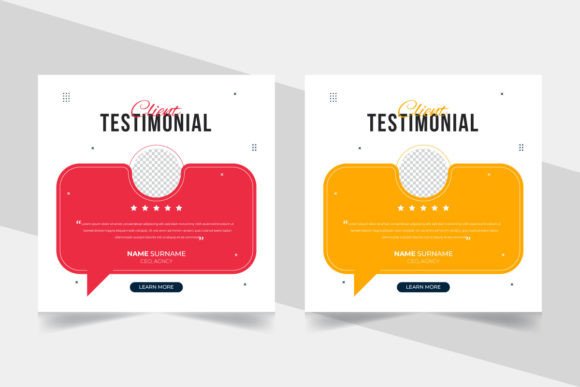
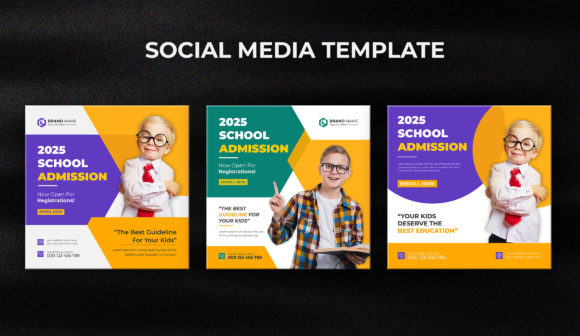
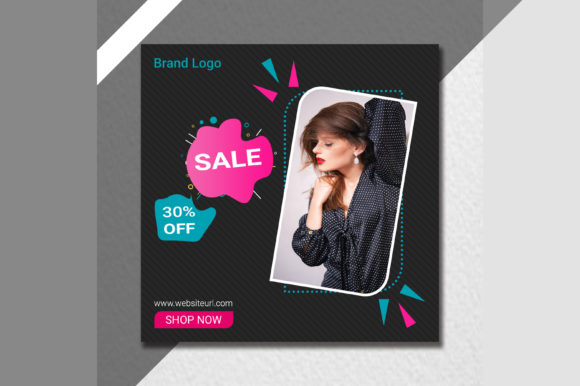
This particular creative social media post template is built as a 72 DPI, RGB PSD file, which tells you it’s optimized specifically for digital screens. The 1000 x 1000 pixel dimension is a versatile square format that works seamlessly across platforms like Instagram, Facebook, and LinkedIn. What makes it genuinely useful isn’t just the format—it’s the structure. Every main element is layered, meaning your text, graphics, shapes, and image placeholders exist on separate, editable layers in Adobe Photoshop. This layered approach transforms a static design into a dynamic workspace. You can move elements, change colors, adjust opacity, swap fonts, and replace placeholder images with your own photography or graphics without affecting the rest of the design. The inclusion of free fonts is a practical bonus, removing the initial hurdle of sourcing typefaces, though always double-check the specific license for any commercial use.
The true value of a "super clean and professionally designed" template lies in its visual hierarchy. A skilled designer has already balanced the composition, chosen complementary colors, and established a logical flow for the eye to follow—from headline to subtext to call-to-action. For a small business owner or content creator, this means you’re not starting from zero; you’re building upon a foundation of proven design principles. It ensures your final post looks intentional and cohesive, which directly impacts how your audience perceives your brand’s professionalism.
Practical Applications Beyond the Instagram Feed
While the name suggests social media, a versatile template like this extends far beyond a single Instagram post. Think of it as a modular design asset. Need a quick promotional graphic for your Facebook page? Done. A visually consistent announcement for your LinkedIn company page? Sorted. The square format is also ideal for creating cohesive grids on Instagram, where a planned visual layout can significantly boost profile aesthetics and follower engagement.
Beyond social platforms, consider these applications:
- Website Graphics: Use it to create featured images for blog posts, ensuring your written content is accompanied by sharp, branded visuals that encourage clicks and shares.
- Digital Products & Marketing: Design mockups for e-books, online course announcements, or webinar promotions. The template provides a consistent frame for your digital product imagery.
- Print-on-Demand & Merchandise: Adapt the design for product labels, sticker sheets, or simple poster prints for local markets. The layered PSD allows you to adjust resolution for print if needed.
- Event Invitations & Announcements: Create digital invitations for workshops, store openings, or community events that can be easily shared via email or messaging apps.
For a crafter selling handmade goods, this template could become the standard for all product showcase posts, creating a recognizable brand pattern. A marketing professional might use it to quickly generate weekly tips or statistics graphics, maintaining visual consistency while meeting tight deadlines. The key is to see the template not as a one-off solution, but as the starting point for a scalable visual system.
Maximizing the Template for Brand Identity
Consistency is the bedrock of brand recognition. When your audience sees your content, they should instantly connect it with your business, even before reading a word. This template allows you to bake that consistency into your workflow. By customizing the color palette to match your brand’s hex codes, replacing the default font with your chosen brand typeface (be it a modern sans serif, a classic serif, or a friendly script), and adding your logo in a consistent position, you transform a generic design into a proprietary brand asset.
The 100% editable layers mean you can save your customized version as a new master template. Imagine having a library of these: one for quotes, one for product features, one for customer testimonials. This systematizes your content creation, saving hours each week and ensuring every post strengthens your visual identity. The professional presentation that results directly influences audience engagement. A polished, on-brand graphic is more likely to be shared, saved, and clicked on than a hastily assembled image. It signals credibility and care, which builds trust with your audience over time.
Tips for Effective Customization
When you open the PSD file, resist the urge to overhaul everything immediately. Start by assessing the existing structure. Use the Move tool to click on different elements and see how they’re organized in the Layers panel. A well-structured file will have groups for text, graphics, and images.
Here’s a practical approach:
- Establish Your Brand Fonts: Locate the text layers. If the template uses a font you don’t have, Photoshop will prompt you. This is your chance to apply your primary brand font for headlines and a secondary font for body text. Consider readability—the most beautiful display font is useless if no one can read it at a glance on a small phone screen.
- Implement Your Color Scheme: Double-click on shape layers or use the Color Overlay layer style to swap colors. Create a palette of 2-3 brand colors and apply them systematically. Use one for backgrounds, one for accents, and one for text to maintain clarity.
- Smart Object for Imagery: Look for layers marked as placeholders (often called “Your Image Here”). These are frequently Smart Objects. Double-clicking the Smart Object thumbnail opens a new .PSB file where you can paste your photo, save it, and watch it automatically conform to the template’s perspective, effects, and masking. This is a massive time-saver.
- Test and Iterate: Don’t just make one post. Create a few variations. Test different background colors, swap the positions of text and image, or try a different call-to-action. See what feels most aligned with your brand voice. Export a few options and view them on your phone to check real-world readability.
Remember, the goal of using a template is efficiency, not creative limitation. It’s a framework to ensure quality and consistency, freeing up your mental energy to focus on the strategic message you need to communicate. By investing a small amount of time upfront to customize it thoroughly, you create a powerful tool that elevates your entire social media presence, making your brand look consistently sharp and engaging with every single post.