Creating Depth and Dimension with 3D Editable Text Effects
Every designer knows the frustration of finding the perfect visual style only to realize it’s static and unchangeable. You have a specific brand name, a tagline for a poster, or a headline for a digital ad, but the text is baked into the image, forcing you to compromise your vision. That is where the utility of a truly versatile asset shines. Imagine having a sophisticated, three-dimensional text style that you can manipulate just as easily as typing an email. This isn't just about adding a drop shadow; it's about utilizing a complete depth system that gives your typography a tactile, high-end feel while remaining fully customizable to your specific needs.
The Power of Editable 3D Typography
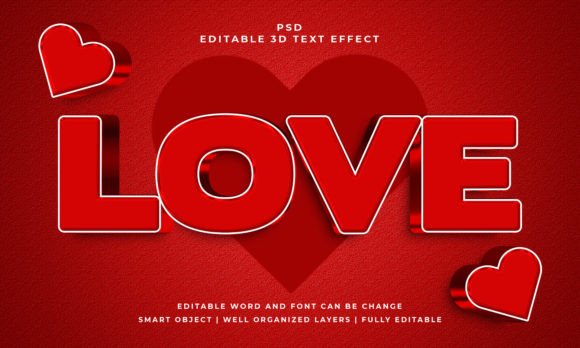
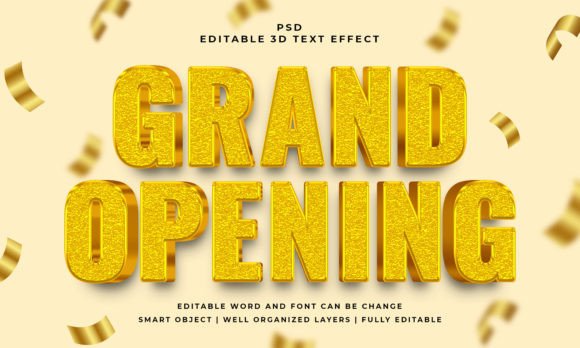
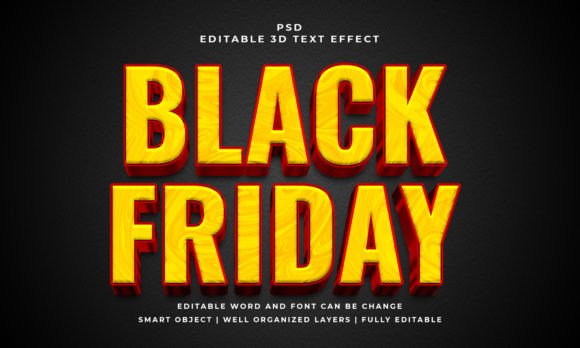
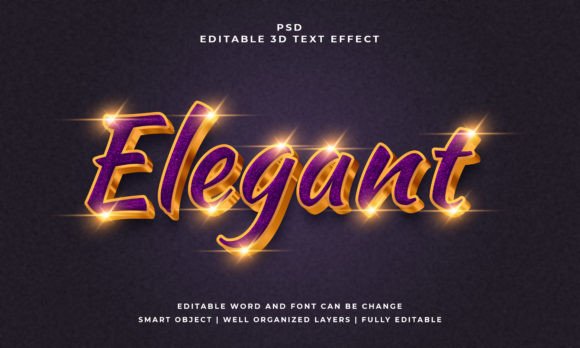
The concept of "3D text" often brings to mind overly complex software tutorials or heavy rendering times. However, modern design assets have streamlined this process. The "Elegant 3D Editable Text Effect" is a prime example of how professional tools have evolved to save time without sacrificing quality. At its core, this is a PSD file that utilizes Smart Objects. For the uninitiated, a Smart Object is essentially a container that holds your original content—in this case, your text—separate from the effects applied to it. This means you can replace the placeholder text with your own branding message, and the 3D lighting, shadows, and perspective automatically adjust to fit your new letters.
This particular asset stands out because it isn't just a flat image with a faux 3D filter. It is designed with well-organized layers, allowing for an RGB color setup that pops on screens while maintaining a resolution of 2000x1200 pixels. This high resolution is crucial for ensuring your text looks crisp on everything from website headers to social media stories. The visual appeal lies in the realism; the lighting interacts with the depth of the letters, creating a premium look that suggests the text is physically existing in a space rather than just being printed on a page.
Bridging the Gap Between Concept and Reality
For small business owners and entrepreneurs, the gap between a great idea and a professional visual presentation can be costly. Hiring a 3D artist to model and render text for every new Instagram post or product launch is rarely feasible. This is where a practical tool like this editable effect becomes a game-changer. It allows you to maintain the visual consistency of your brand identity across various touchpoints without needing advanced technical skills in software like Cinema 4D or Blender.
Consider the impact on brand recognition. When your audience sees a distinct style repeatedly, they begin to associate that visual language with your business. If you use this 3D effect for your weekly "New Arrival" announcements or your monthly newsletter headers, you create a signature look. It moves your brand away from generic, flat templates and into a realm of sophisticated visual communication. It signals to your audience that you care about details, which subconsciously builds trust in the quality of your products or services.
Practical Applications Across Industries
The versatility of a high-quality display font effect extends far beyond simple headlines. Because this specific PSD file works with text, vector shapes, or any kind of shape, the creative possibilities are vast. Here is how different professionals can leverage this asset:
- Packaging and Merchandise: If you are designing a label for a premium product or graphics for a T-shirt, 3D text adds a tactile quality. It makes the product feel more substantial and "designed," which can justify a higher price point.
- Social Media Graphics: Platforms like Instagram and TikTok are saturated with flat images. A bold, 3D headline can stop a user from scrolling. It adds depth to your thumbnails and story highlights, making your content look more like a media production than a casual post.
- Event Invitations and Posters: For weddings, galas, or local events, elegance is key. This effect provides that "luxury" feel often associated with high-end editorial layouts. It captures attention on a bulletin board or in a crowded email inbox.
- Digital Products and Web Design: If you are selling digital courses or ebooks, the sales page needs to look authoritative. Using a 3D text effect for your "Buy Now" button or the main title of your course can increase conversion rates by drawing the eye exactly where you want it.
Integrating 3D Effects into Your Design Workflow
One of the most significant barriers to good design is workflow friction. If a tool is hard to use, it won't be used. The design of this particular asset prioritizes ease of editing. You simply open the file, locate the Smart Object layer, double-click, replace the text with your own, and save. The 3D effect is then automatically applied to your new text. This simplicity is vital for content creators who need to produce assets quickly.
However, simply having the tool isn't enough; knowing how to integrate it is key. Readability is the first consideration. While the effect is elegant, 3D text can sometimes be harder to read if used for long paragraphs. It is best suited for headlines, titles, and short calls to action. You want the text to be legible at a glance.
Next, think about font pairing. If you are using a bold, 3D effect for your main headline, the supporting text should be simpler. Pair this 3D style with a clean sans-serif font for the body copy. This contrast creates a hierarchy that guides the viewer's eye. If the headline is shouting with depth and shadow, the body text should whisper with clarity and simplicity.
Strategic Considerations for Professional Use
When working with design assets, it is important to think like a strategist. Even though this is a "creative" tool, it serves a business purpose. Here are a few strategic tips for implementation:
- Color Harmony: The asset comes in RGB color, which is standard for digital use. However, ensure that the colors within the 3D effect complement your existing brand palette. You may need to adjust the hue or saturation to match your specific hex codes for a seamless look.
- Context Matters: A 3D text effect might look stunning on a dark, moody background but may get lost on a busy, colorful photo. Always test your text against different backgrounds to ensure it remains the focal point.
- Licensing and Usage: Always double-check the licensing terms of any asset you download. For commercial projects—whether it’s a client logo or a product you are selling—ensure you have the rights to use the asset in that capacity. Most premium assets allow for this, but it is a professional habit to verify.
- File Management: Since the output is a PSD file, keep your source files organized. Save a master copy of the effect that you never alter, so you always have a fresh template to work from for future projects.
Elevating Your Visual Communication
Ultimately, the goal of any design asset is to communicate a message more effectively. Typography is the voice of your design. Flat text speaks clearly, but 3D text speaks with presence. It commands attention and suggests a level of production value that can elevate a brand from looking "homemade" to "professional."
Whether you are a hobbyist creating a poster for a local event or a marketer designing a high-stakes ad campaign, tools like the Elegant 3D Editable Text Effect bridge the gap between imagination and execution. They democratize design, allowing anyone with a creative vision to produce high-quality visuals. By focusing on practical application, readability, and strategic placement, you can turn a simple text effect into a powerful tool for engagement and brand growth. It’s not just about making text look 3D; it’s about making your message stand out in a 2D world.