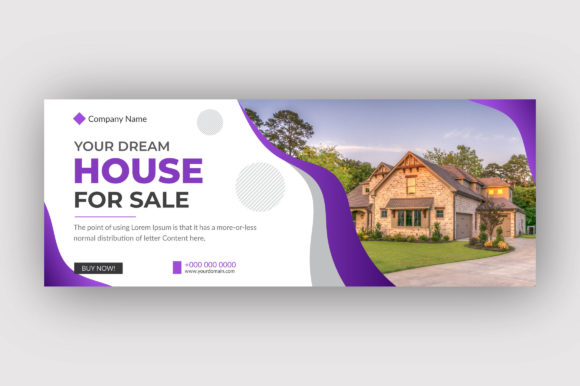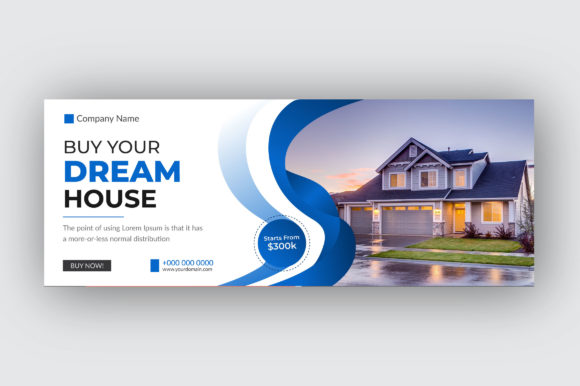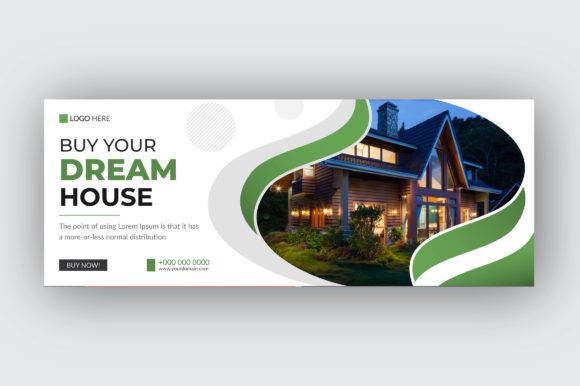
Master Your Real Estate Brand with a Customizable Facebook Cover
In the competitive world of real estate, your Facebook page is often the first handshake with a potential client. It’s your digital storefront, your community billboard, and your personal brand statement all in one. A generic, blurry, or poorly designed cover image can instantly undermine the trust and professionalism you work so hard to build. That’s precisely why a purpose-built asset like a Real Estate Facebook Cover Template isn’t just a nice-to-have—it’s a strategic tool for agents and agencies aiming to make a powerful visual impact from the very first click.
Why a Template Beats a Quick Fix
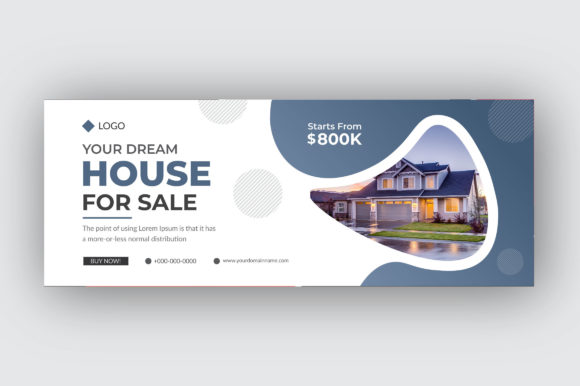
Many agents attempt to cobble together a cover photo using basic apps or a single, static image. While this might work in a pinch, it often results in inconsistent branding, awkward cropping on different devices, and a design that fails to communicate key information. A dedicated template flips the script. Designed with the specific dimensions of 820x312 pixels, it ensures your visuals display perfectly on both desktop and mobile without critical elements getting cut off. More importantly, it provides a structured, professional canvas that guides you toward a balanced and effective layout.
This particular template is built for flexibility. With all main elements being fully editable and customizable, you’re not locked into a single style. The files are provided in versatile formats—AI, SVG, and EPS—meaning you can work in Adobe Illustrator for maximum control or use other vector-compatible software. The 150 DPI RGB resolution is optimized for screen viewing, ensuring your graphics look crisp and vibrant on Facebook’s interface. Using free fonts also removes a common barrier, allowing you to implement the design immediately without hunting for or purchasing additional typefaces.
Translating Template Features into Real-World Branding
The true value of this Real Estate Facebook Cover Template lies in how its features solve common branding challenges. Let’s break down what each specification means for your daily operations:
- Easy Customizable and Editable: This is your creative playground. Swap out the background image to showcase your latest listing, a neighborhood landmark, or a professional headshot. Change the color scheme to match your brokerage’s brand guidelines. Edit the text to highlight your slogan, a special promotion, or your contact information. This adaptability means one template can serve you through multiple campaigns and seasonal updates.
- RGB Color Mode & 150 DPI Resolution: These technical specs are chosen for digital perfection. RGB ensures the colors you choose will render accurately on screens, from a smartphone to a large monitor. The 150 DPI resolution strikes the ideal balance between high-quality visuals and fast load times, preventing that frustrating pixelation that can make a design look amateur.
- 820×312 Pixel Dimension: This is the non-negotiable, platform-specific size for Facebook covers. Using a template built to these exact dimensions eliminates guesswork and prevents the dreaded auto-crop that might chop off your logo or phone number.
- Vector Files (AI, SVG, EPS): Vector graphics are the gold standard for professional design assets. They can be scaled to any size—from a tiny social media icon to a large printed banner for an open house—without losing quality. This future-proofs your investment, allowing you to repurpose the design elements for other marketing materials down the line.
Practical Applications Beyond the Facebook Wall
While the primary function is clear, the components of a well-designed template offer surprising utility across your entire marketing ecosystem. Think of the template not just as a single image, but as a source of design assets and a study in effective visual communication.
The color palette, layout structure, and font pairing used in the template can inspire your entire brand identity. You might extract the color codes to use in your email newsletters, website buttons, or printed flyers. The typographic choices—whether a clean sans serif font for modern appeal or a classic serif font for traditional elegance—can guide your selection of a premium font for other projects like packaging design for client welcome kits or editorial layouts for market reports.
Consider these direct applications:
- Social Media Graphics: Use the same visual style to create consistent Instagram Stories, LinkedIn banners, or Twitter headers. This builds visual consistency across platforms, making your brand instantly recognizable.
- Print Materials: The vector elements can be adapted for posters, open house signage, or business cards. A cohesive look between your digital and physical presence reinforces professionalism.
- Digital Products & Marketing Assets: Create a series of market update graphics, buyer tip infographics, or neighborhood spotlight images that all share the same design language. This saves time and strengthens your content’s perceived value.
- Website and Blog Headers: A well-designed cover image can often be cropped or adapted to serve as a compelling header for your website’s homepage or a featured blog post, improving web design cohesion.
Making It Your Own: A Practical Guide to Customization
Downloading the template is just the first step. The magic happens during customization. Here’s how to approach it to maximize impact:
Start with Your Goal. Is this cover for brand awareness? To promote a specific listing? To drive traffic to a landing page? Your objective will dictate the hierarchy of information. A branding-focused cover might feature your logo and tagline prominently, while a listing-focused one should have the property image as the star.
Choose Imagery with Intention. The background is your most powerful visual element. Use high-resolution, professional photos. For a general brand cover, a skyline, a welcoming home exterior, or a stylized architectural detail works well. For a listing, use the best shot of the property. Ensure the image has enough negative space or a subtle overlay so your text remains readable.
Edit Text for Clarity and Impact. Less is often more. Include only essential information: your name, brokerage, tagline, and perhaps a single call-to-action like “Let’s Find Your Home” or “Contact Us Today.” Use the editable text layers to experiment with placement and size. The free font provided is a starting point, but ensure it aligns with your brand’s personality—is it approachable, luxurious, or innovative?
Test for Readability and Contrast. After placing your text, zoom out to see the cover at its actual display size on a screen. Is the text legible? Does it stand out from the background? Sometimes a slight drop shadow or a semi-transparent color block behind the text can dramatically improve readability without cluttering the design.
Consider Commercial Licensing. Since this template is likely intended for commercial use, review any license terms provided. This ensures you’re fully covered to use the design for your business’s marketing without legal concerns, a crucial step for any creative entrepreneur or small business owner.
In the end, a Real Estate Facebook Cover Template